
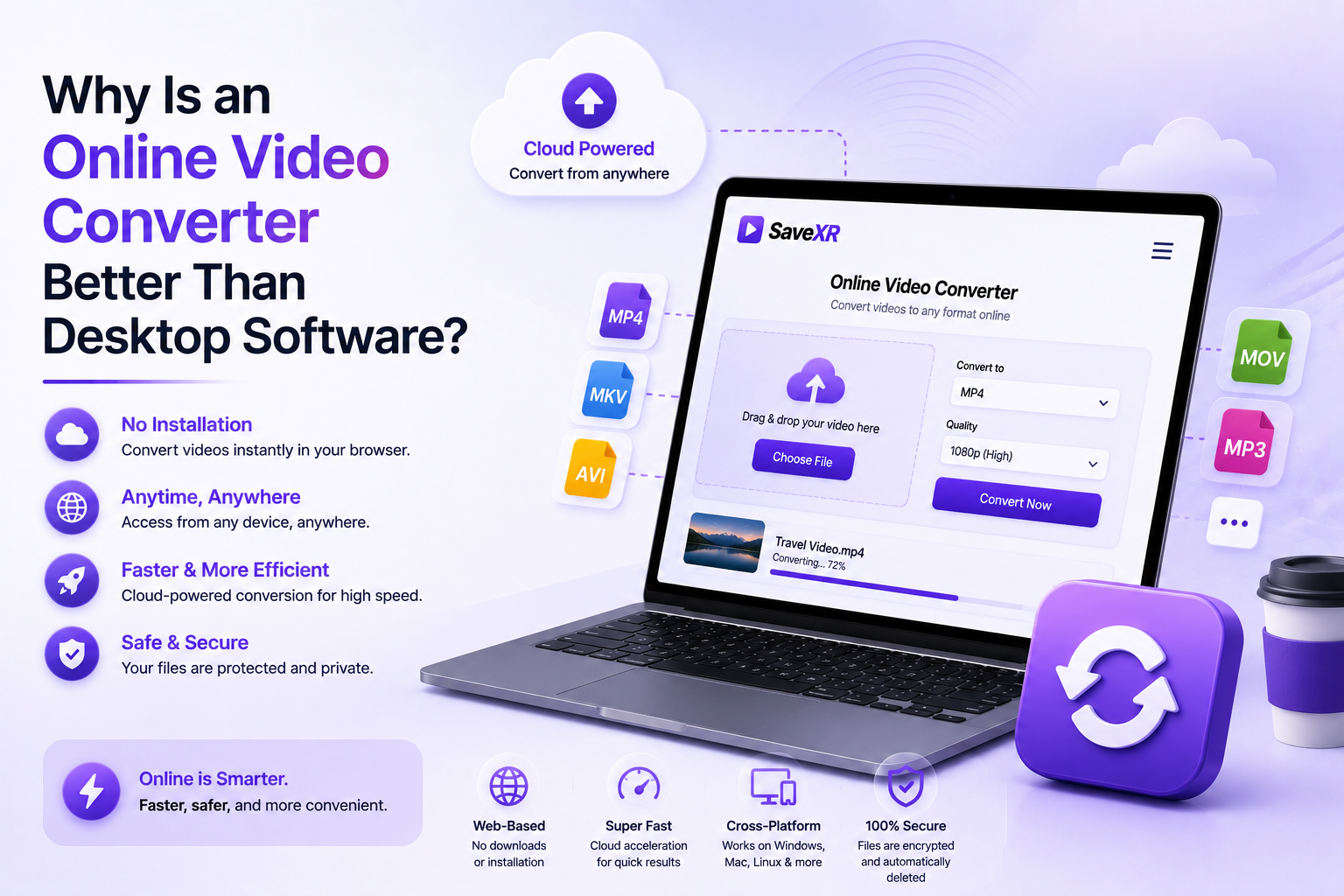
Do you have videos that will not play on your phone? Changing file formats is a common need today. Yet, the old way of changing formats has big problems.
For years, people downloaded heavy desktop programs. This old method creates a lot of frustration. It slows your workflow down to a crawl. Desktop tools drain your computer’s main power. They lock up your screen and put your system at risk.
You do not need to slow down your computer anymore. Moving your media tasks to a cloud tool is the smart choice. This guide shows why an online video converter beats local desktop software in every way.
Freedom From the Installation Cycle
Desktop video programs present a major headache right from the start. They require large setup files. These files eat up your valuable hard drive space.
Desktop apps force you to run frequent system updates. They demand deep admin access keys just to change a basic file format.
An online video converter removes the entire setup cycle. You never have to wait for a slow installation bar to finish.
The entire system runs inside a standard web browser tab. You can transform files on a premium workstation or a cheap phone. The experience stays simple on every device you own.
SaveXR: The Clean Standard for Fast File Changes
You do not have to settle for slow tools. You do not have to deal with dangerous tracking scripts. The SaveXR Platform delivers a fast, clean environment for file conversions. Our server engine runs completely within a locked web tab. It allows you to change media formats instantly.
SaveXR eliminates the classic roadblocks found on old conversion sites. You never have to share an email address. You do not have to make a user profile.
There are no paid gates or speed blocks. Our advanced server nodes process file changes using fast cloud channels. This setup delivers top speed while keeping your personal device details private.
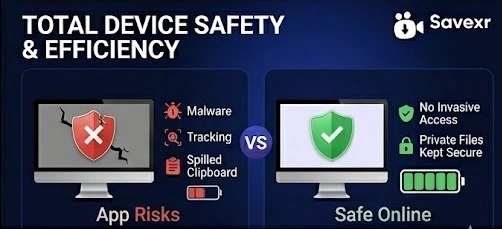
Cloud Server Cores Protect Your System Hardware
Video conversion is a very heavy task for a computer. If you run desktop software, the program takes over your entire machine. It spikes your CPU usage to the maximum limit. This turns your cooling fans on high speed. It drains your mobile battery in a few minutes. Your computer lags, making it hard to work on other projects.
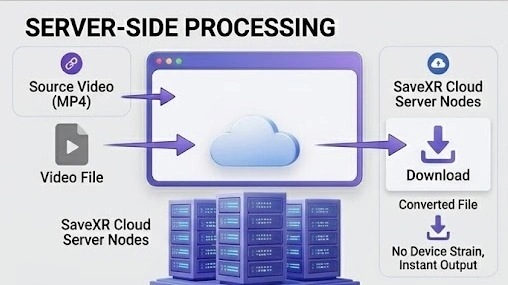
A web utility changes this process completely. It moves the heavy math away from your device. When you use SaveXR, our remote cloud data centers do all the hard work.
Our high-performance servers handle the rendering load. Your personal computer stays cool and responsive. You can keep editing photos, writing articles, or browsing the web with no lag.
Absolute Device Safety From Injected Software Threats
Downloading local programs exposes your machine to major safety risks. Many free file tools survive by bundling hidden extras inside their setup files. They inject tracking software into your system registry. They monitor your clipboard data. They scan your browser history to sell targeted ads.
A browser tool builds a total safety barrier around your machine. An online video converter runs completely inside a sandboxed browser tab. Because of this, it cannot view your private files. It cannot access your system photos, contact lists, or saved device passwords. It operates purely as a clean media utility with no invasive demands.
How to Convert Files Online in Four Simple Steps
The encoding paths are very complicated and handled by our server setup automatically. Short and clear steps on all layouts of every Android and iOS smartphone and computer.
1. Select and Copy the video link
Launch your preferred media player or social platform. Locate the desired video you wish to alter. Click the share icon that you can see on the screen. Click on the “Copy Link” command to copy the direct text path into your clipboard.
2. Enter the SaveXR Workspace
Open a new browser window on your cell phone or computer. Directly go to the main SaveXR Tool Suite. The page is light and fast. Adjusts to the small screen of a smartphone or large monitor.
3. Paste the URL to Start the Check
Tap inside of the big text box in the center of the page. Copy and paste your link into the box. Click on the large ACTION button with the word “Download” to start our cloud conversion scripts.
4. Choose Your Target Format and Save
Our cloud servers read the background file parts in a couple of milliseconds. The screen will be reconfigured to display your selections. Choose your favorite file type or audio track. Once you make it to the last save button, press it to save the file directly to your local drive.
Conclusion
True media ownership means having the power to access your assets at any time. Do not let difficult file formats, system lag, or invasive software setups slow down your day. If a file holds real value for your education or career, you should have the freedom to change its format safely.
Stop cluttering your personal devices with heavy desktop software packages. They drain your battery and track your actions. Upgrade your media workflow to a faster, cleaner system.
Visit the SaveXR Hub right now. Input your video link path, choose your output format, and use our premium online video converter to secure your personal media archive today. True data freedom is just one click away.