
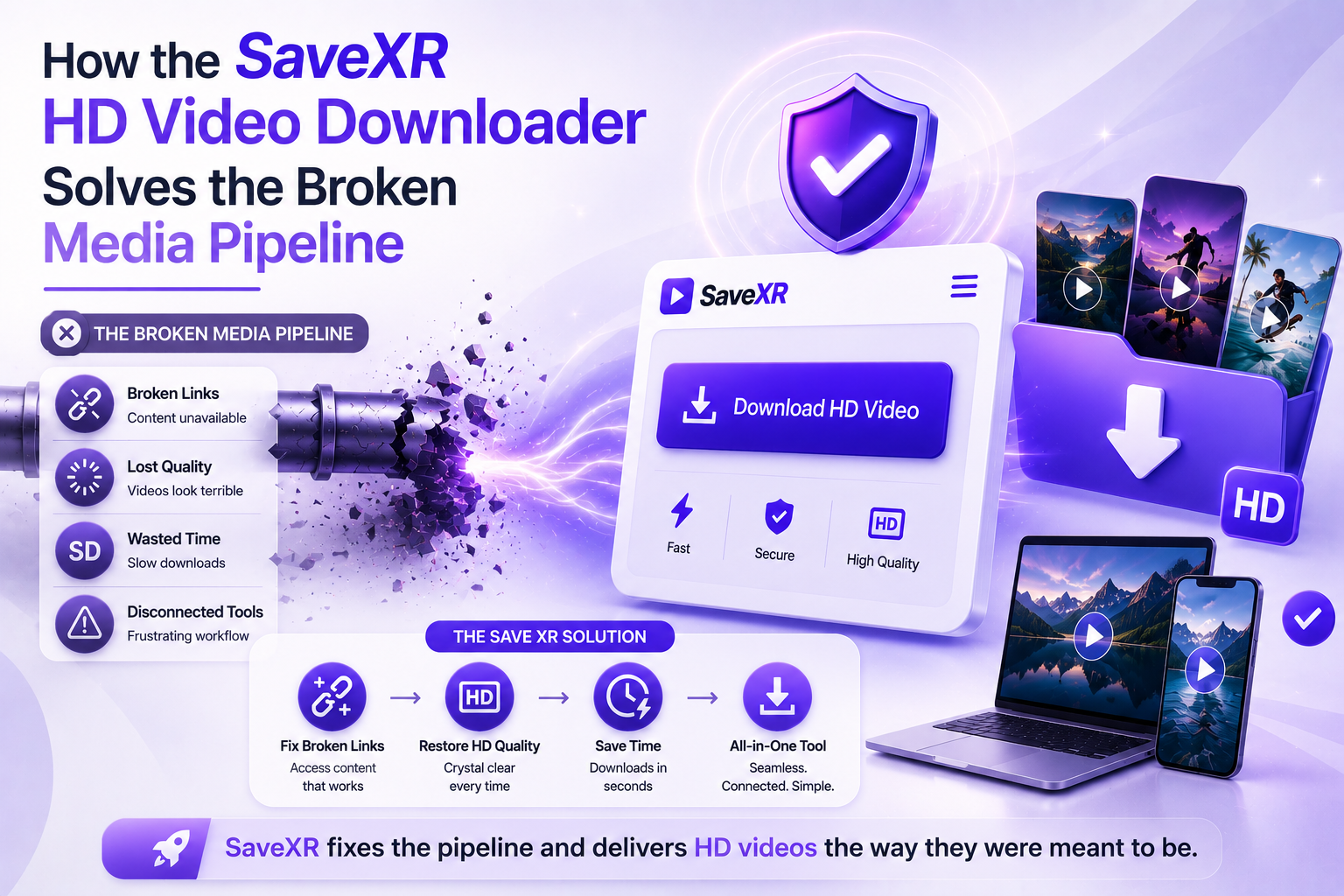
Ever wanted to share a great online video with a client? You click the link. You’re presented with a ‘Content Deleted’ error rather than viewing the video.
Or maybe you’ve saved a clip from an app? It was impossible to study over the exact text that you needed to study, as it was overlaid by a giant, jumping logo.
That’s what social networks do. They don’t want you to own your media files. They use aggressive algorithms to reduce data sizes on their servers. This compression removes deep color profiles. It does cause very strong pixel blurring.
You will need a tool to save you from these limitations of the platforms if you want to get out of them. The answer is not to end with the simple buttons of a typical app. Any file can be bit-perfect pulled from raw database streams. Discover how to use a contemporary web architecture with your creative storage system.
API Parsing vs. Screen Recording
The most common method of archiving files is by using screen capture software or the simplest of browser extensions by most creators. These secondary methods cause huge bottlenecks in workflow.
Screen recording is passive recording. It forces you to view the entire clip in full length. It will mark dropped frames when your home WiFi drops for a second. It also records keyboard noises and mouse movements.
The SaveXR HD video downloader is on a different tier, however. It does not record pixels, but rather directly communicates with network distribution nodes. The engine reads in the source URL, maps the hidden media properties, and delivers the original file container completely intact.
A Detailed Look at Cloud-Based Media Extraction
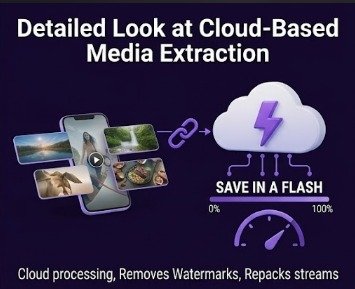
The SaveXR Hub’s processing system saves media entirely off your local machine. This arrangement relieves the burden of working with your device hardware.
A multi-threaded cloud script is activated when a link enters the system. Removes proprietary interface code from the media file. This will delete floating account logos and tracking watermarks in a single operation. This is where the engine breaks the uncompressed video stream from the high-fidelity audio stream. It tightly repacks them into a well-formed MP4.

This distance service provides instant benefits:
- True Bitrate Retention: Pixels remain crisp on big 4K screens.
- No software footprint: No large software applications clutter your local storage.
- Repackocity network lines: Instant file processing.
- Total Anonymity: No personal profile keys used by the engine for data paths.
The Digital Risks Hidden in Traditional Downloader Software
A significant number of people look into the mobile marketplaces for a particular media instrument. Downloading unvetted utility software in 2026 poses significant security risks to your system.
The greatest risk is if you have to log into your social media accounts within the program’s interface. Giving your password to a third-party app results in instant profile bans and instant leaks of profiles. SaveXR HD video downloader is a video downloader that runs in a sandboxed tab of the web browser so as to protect the security of your system. Never request passwords, profile information, or access to personal devices.
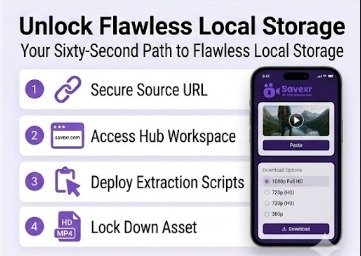
Your Sixty-Second Path to Flawless Local Storage
All of the processing paths for encoding are run automatically on the backend cloud servers. It’s easy and concise on any computer or phone screen.
Open the application that hosts your target video, and secure the source path. On the Dashboard interface, click the share icon. Select the “Copy Link” command to copy the URL address of the exact text to your system clipboard.
- OpenXR Port: Open a new browser tab on your laptop or cell phone. Straight away, go to the main SaveXR Workspace. The website has a thin and small design that loads faster on low-speed cellular networks.
- Perform the Stream Check: Click on the large data entry box in the center of the web page. Simply place the link text that you copied into the field. Click on the action button “Download” to deploy our cloud extraction scripts.
- Lock Down the Asset: Our remote servers read the media parameters in milliseconds. Your quality paths will appear on the screen layout. Choose the highest resolution option. Once you’ve finished clicking on the final save button, the unwatermarked file will be pulled directly into your local gallery.
Why Web Engines Win Against Native Desktop Software
The digital landscape updates constantly. Social networks change their background encryption setups weekly to break traditional media scrapers. If you use an installed desktop program, your tool will stop working frequently. You must wait for developers to push out a manual patch, which can take weeks to clear app store review queues.
An agile web engine eliminates this downtime entirely. We modify our data scripts on our remote cloud servers the exact second a platform updates its interface. You never have to click an update prompt, run a setup wizard, or restart your machine.
Web utilities also keep your device running smoothly. They do not run silent background services, modify your system registry, or drain your mobile battery. You get clean, on-demand performance every time you use the tool.
Practical Checkpoints for Processing Errors
If an extraction queue fails to load, a platform restriction is almost always the root cause. A high-speed utility requires a clear, public path to read media details accurately. Review these three checks to fix an error:
- Verify Profile Privacy: The source video must be public. If a content creator marks their account as private, remote cloud servers are strictly blocked from viewing the data.
- Avoid Stale Session Links: Media platforms refresh security tokens frequently. If you wait hours between copying a link and pasting it into the web tool, the path will expire. Refresh the source feed and grab a fresh URL.
- Check for Broken Content: See your stuck clipboard content. Clearing out a single letter or number at the conclusion of the URL string will cause an association failure.
Professional Applications for Physical Archives
Relying on live internet feeds is dangerous when your career or creative business depends on media access. Professionals build local storage vaults to keep their workflows stable.
Video editors amass high-definition clips to think about visual patterns, timing, and content styling. They require unwatermarked film to drop straight into program timelines like Debut Master or DaVinci Resolve. Clean source files prevent distortion during editing.
Marketing teams save top-performing ads to build deep research libraries. You cannot analyze an advertising campaign if the brand archives or deletes the post next week. Local storage keeps your creative insights safe.
Conclusion
The SaveXR HD video downloader offers the ultimate balance of speed and safety. It executes entirely inside your browser tab. It does not drain your device hardware. It strips away moving logos automatically. It retains original source bitrates effortlessly.
Stop risking your privacy with dangerous app store software. Switch your workflow to a clean, unthrottled environment. Visit the SaveXR Tool Suite right now. Paste your destination video link. Select your quality choice. Build your flawless local media vault today.